AR · Sound camera
AR sound camera: see noise like a thermal image
Hold your phone up to the room – Decibel Radar lays a heat map of sound over the camera image. Loud spots glow bright, quiet ones stay dark. So you see noise instead of searching for it.
An acoustic camera for your pocket
Thermal cameras show where something is warm. With the AR view, Decibel Radar shows where something is loud. To do this, the app lays a colored map over the live camera image: dark blue means quiet, violet and magenta medium, orange, yellow and white loud.
In industry, devices like this are called acoustic cameras. Professional systems with dozens of microphones often cost tens of thousands of dollars and are used for machinery, vehicles and buildings, for example. Decibel Radar brings the idea to your smartphone – not with lab precision, but instantly understandable and for about $1.
How to see noise
Open AR
Tap "AR" at the bottom and allow access to the camera and microphone. The camera is used only for the live view.
Point it at the room
Aim your phone at the room or at a device and pan slowly. The color map follows the image.
Find the brightest spot
The brighter and warmer the color, the louder the spot. Move closer to find the exact source.
Why the AR view is so powerful
Intuitive
Colors instead of numbers: anyone can see instantly where it's loud.
Pinpoint search
See which part of a device makes the most noise.
Complements Radar and Meter
Radar for the direction, AR for the spot, Meter for the value.
Image stays local
The camera image is processed only on the device and never uploaded.
Where the AR sound camera helps
Inspect equipment
Which part of a machine, compressor or heat pump is the loudest? The color map shows you.
Home theater and speakers
See how speakers and subwoofers fill the room and where it booms.
Offices and classrooms
Make noise hotspots visible – a strong argument for rugs, acoustic panels or a new seating plan.
Workshop
Find loud spots on tools and machines before they become a constant problem.
Teaching and explaining
Sound is invisible. The AR view makes it tangible for kids and adults alike.
Locate rattles
A rattle in a cabinet or a buzz on a device? Pan your phone until the spot lights up.
How acoustic cameras work
Professional acoustic cameras combine a regular camera with many microphones arranged in a pattern. From the differences between the microphones, they calculate how much sound comes from each direction and overlay the result on the video image as a color map.
The colors work like those of a thermal camera, but they show sound, not temperature. Important: the Decibel Radar AR view does not measure temperature, and a glowing spot does not mean that something is hot.
Because sound bounces off walls and furniture, reflections can also light up in reverberant rooms. If in doubt, move closer to the suspected source and watch whether the spot gets brighter.
Frequently asked questions
Is there an acoustic camera app for my phone?
Yes. Decibel Radar has an AR view that highlights loud spots in the camera image in color – similar to a thermal camera, but for sound. The app runs on iPhone and Android, with no ads and entirely on-device.
Is this a real thermal camera?
No. The colors show loudness, not temperature. Decibel Radar doesn't measure heat.
Is the camera image saved or uploaded?
No. The camera image is used only for the live view on your device and is never sent to the internet.
How accurate is the AR view?
The AR view shows which areas are louder than others and is excellent for searching and comparing. It doesn't replace a professional acoustic camera with a microphone array.
All features
Sound level meter
Shows live how loud it is – in decibels, with history.
Noise radar
Uses arrows to show where a sound is coming from and what it is.
Frequency spectrum
Shows which frequencies a sound contains – from hum to whine.
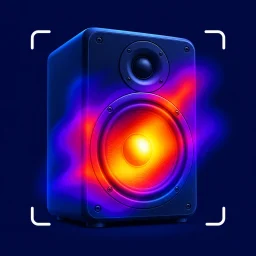
Make noise visible.
Decibel Radar is coming soon for iPhone and Android – for about $1, with no ads and no in-app purchases.